
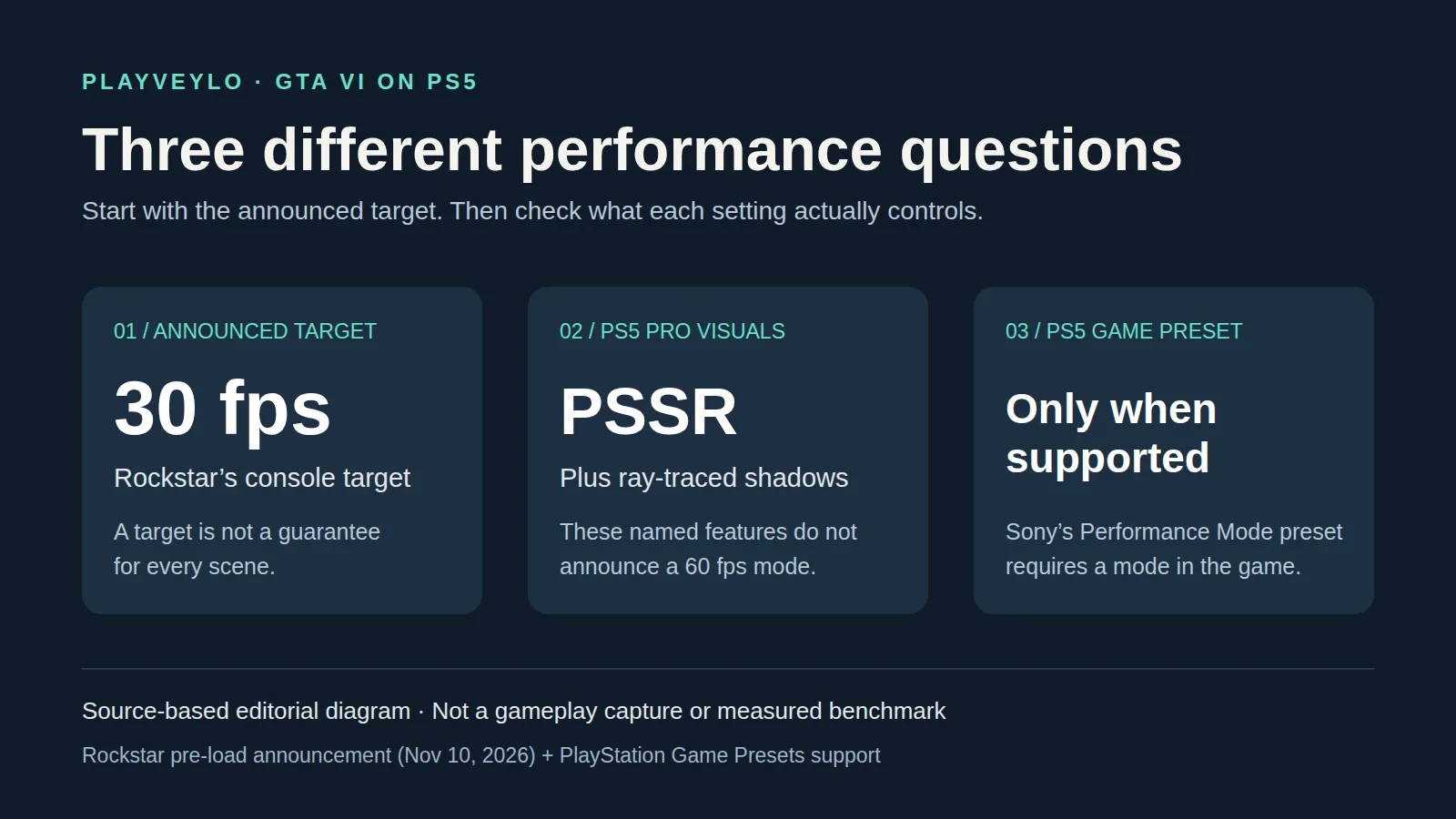
Rockstar’s checked console announcement targets 30fps. It names PSSR and ray-traced shadows for PS5 Pro, without announcing a 60fps mode. Sony’s Performance Mode preset only applies when a game offers that mode. These facts do not establish a stable frame rate in every scene.[1][2]
On this page
What the 30fps target tells you
The November10 announcement sets the console performance target. Treat that as the intended rate, rather than a benchmark of your current build, mission or console. The Pro visual features named there do not establish a higher frame-rate option.[1]
Does the PS5 Performance Mode preset unlock 60fps?
Sony limits the Performance Mode/Resolution Mode preset to games that offer those modes. Finding the console preference is therefore not proof that GTA VI includes a 60fps option.[2]
- Open Game Presets
From the PS5 home screen, open Settings, then Saved Data and Game/App Settings, then Game Presets.[2]
- Read the support condition
Performance Mode or Resolution Mode is a shared console preference. Sony says it applies only to games offering those modes. Do not treat changing it as a verified GTA VI performance fix.[2]
What players have reported about stutter
In the launch megathread, x_LadyHellena_x asks about the standard PS5. Shouganai1 and fauxfilosopher describe choppy play; Hoeveboter reports a rougher prologue and smoother free roam on an original disc-model PS5. These are individual accounts, not a controlled comparison between console models.[4]
Reported prologue stutter on a standard PS5
Player report · unresolved
- Build
- Not recorded in the report
- Platform
- PS5 — original disc model, as reported by Hoeveboter
- Conditions
- Launch-thread player report comparing prologue play with later free roam; display settings and exact build were not recorded.
- Result
- A scene-dependent subjective report. It establishes neither a universal cause nor a verified workaround.
- Sources checked
Reproduction and verification steps
- The player describes noticeable frame-rate dips during the prologue.
- The same player describes smoother free roam afterward; Playveylo has not reproduced the sequence.
Evidence [4]
November 23 launch fixes: what changed for PS5?
Rockstar’s November 23 Launch Updates for PS5 and Xbox Series X|S list fixes for crashes, stalled weather changes, autosaving, and phone calls that progress the story or unlock missions. The notes also address an uncleared Wanted Level, the gym deadlift bar and partners failing to hand over bags for sale to fences.[5]
These are publisher-confirmed general fixes. The note does not announce a new Performance Mode, a 60fps option or a frame-pacing fix, and supplies no build number or exact rollout hour. Use Check for Update below, then record your installed version and the scene if stutter persists. We have not tested the fixes in a game client.[5][3]
Check the installed game before comparing reports
- Highlight GTA VI
On the PS5 home screen or in your library, highlight the game and press the controller’s options button.[3]
- Choose Check for Update
Select Check for Update. If an update is offered, follow the on-screen installation instructions.[3]
This is Sony’s general update procedure. It does not confirm that a particular GTA VI patch fixes frame pacing, adds a performance mode or changes the announced target.[3]
Record a useful performance report
If your issue is a locked game or a missing download rather than choppy gameplay, use our PS5 download and licence guide.[3]
The illustration above explains source statements. It is original editorial artwork, not a gameplay screenshot or a performance test.[1][2]
Sources & verification
Facts last checked Nov 23, 2026. Checking a source does not change the page’s update date.
- Pre-Load Grand Theft Auto VI Now Rockstar Games · official · Published 2026-11-10 · Checked Nov 21, 2026
Console target and PS5 Pro visual features; announcement is not a measured launch benchmark.
- How to customize game presets on PS5 consoles PlayStation Support · official · Checked Nov 21, 2026
Performance/Resolution presets apply only to games offering the modes.
- How to check for updates on PS5 consoles and PS4 consoles PlayStation Support · official · Checked Nov 21, 2026
Official Check for Update menu path; no GTA VI-specific FPS fix promised.
- GTA VI Launch Megathread: standard PS5 performance question and replies r/playstation contributors · community · Checked Nov 21, 2026
Read x_LadyHellena_x question and Shouganai1, Hoeveboter and fauxfilosopher replies. Relative ages not used as exact timestamps; no build or measured frame trace supplied.
- Grand Theft Auto VI Launch Updates (PS5 / XBOX Series X|S) Rockstar Games Customer Support · official · Published 2026-11-23 · Checked Nov 23, 2026
Official complete support article, last updated November23, with a dated General/Miscellaneous fix list. Day precision only; no build number, exact deployment hour, new Performance Mode or frame-rate change stated. No client test.
Original language: en
Page history
Add Rockstar’s November23PS5/Xbox launch-fix notes for crashes, autosaves and story calls; distinguish general fixes from an unannounced frame-pacing fix,60fps option or Performance Mode. Preserve original console-target explanation, URL and first publication.
Explain the announced console target, PS5 Pro visuals and supported-mode condition; separate launch-thread stutter reports from verified fixes.
A source and a little context help us keep this guide useful.